General
In the first step of the wizard you define the general settings of your configuration: what it is called, how urgently its files are processed, and whether it is active at all.
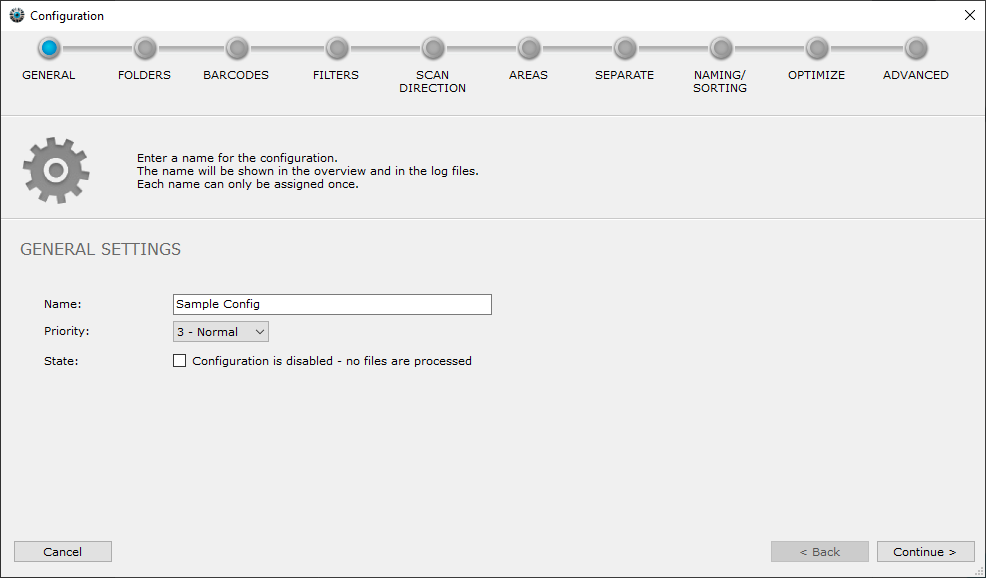
Name
The name helps you tell your configurations apart. It is shown in the overview and in the log files. Each name can only be used once. In the list on the main page, the configurations are sorted by name (A–Z).
Priority
If you have several configurations, you can assign a priority to each of them. If files arrive in several configurations at the same time, BarcodeOCR adds them to an internal processing queue. Files from configurations with a high priority are processed first. 1 is the highest priority, 5 the lowest.
Example
Documents scanned by employees should be processed before archive processing. The configuration "Scanned documents" gets priority 1, the configuration "Archive processing" gets priority 5.
State
Check Configuration is disabled - no files are processed if BarcodeOCR should not process the files of this configuration. The configuration is then deactivated, and no documents are processed.