Filter
If you know the structure of the content encoded in your barcodes, you can define rules in this step for which recognized barcode values BarcodeOCR takes into account. This helps if your documents contain unwanted or external barcodes in addition to the ones you need. For example, you can specifically exclude barcodes from suppliers from recognition.
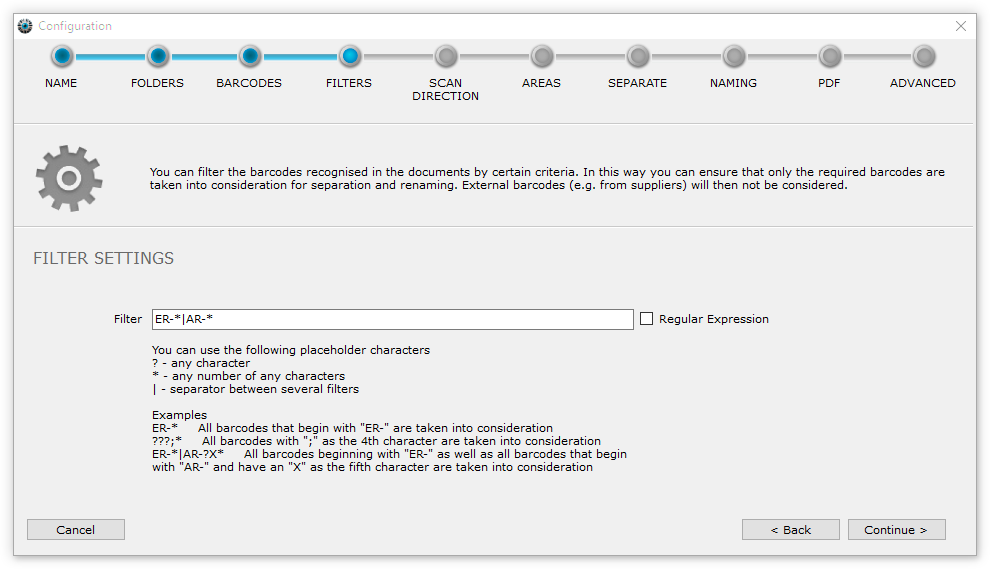
Simple filters
You can use the following simple placeholders for the rules:
| Placeholder | Meaning |
|---|---|
? | Any single character |
* | Any number of any characters |
| | Separator for entering several filters one after the other |
Examples of simple filters
| Filter | Takes into account all barcodes whose content … |
|---|---|
ER-* | begins with "ER-". |
???;* | has a ";" as the fourth character. |
???????? | is exactly eight characters long. |
AR-*|*2011 | begins with "AR-" or ends with "2011". |
Regular expressions
For special requirements, you can check barcode values precisely with regular expressions. To do this, check the Regular Expression option in this step. The placeholders of the simple filters are then ignored. You cannot combine simple filters and regular expressions.
Examples of regular expressions
| Filter | Takes into account all barcodes whose content … |
|---|---|
^\p{L}{6}\d{8}$ | starts with six letters followed by eight digits. |
^\d{8}$ | consists of exactly eight digits. |
^ER-\d{8}$ | starts with "ER-" followed by exactly eight digits. |