General
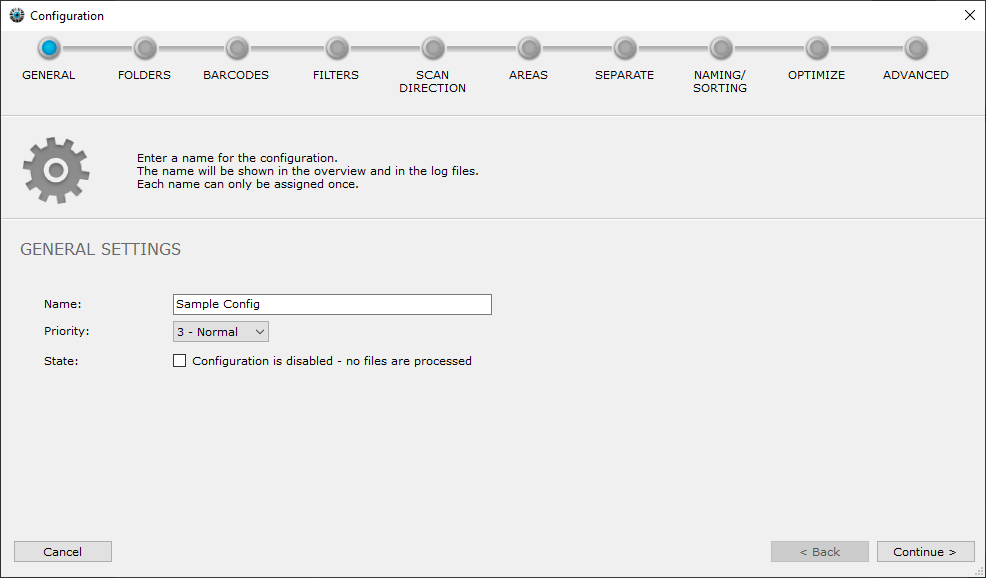
In the first step of the wizard you define general settings for your new configuration.
Name
The name helps you to distinguish the work instructions from each other. In the list of configurations on the main page the configurations are displayed sorted by name (A-Z).
Priority
If you have several configurations, you can assign a priority to the configurations. If several files are added in different configurations at the same time and added to the internal processing queue by BarcodeOCR, files from configurations with a high priority (1 = highest, 5 = lowest) are processed first.
Example of a use case
Scanned documents of employees are to be preferred to "archive processing". The configuration "Scanned documents" then receives priority 1, "Archive processing" priority 5.
State
If files from this configuration are not to be processed, check the box. The configuration is then deactivated and no documents are processed.