Scan direction
In this step you specify the orientations in which you expect the barcodes on a document. The scan direction corresponds to the alignment of the barcode. If you limit recognition to the expected orientations, BarcodeOCR works faster and makes fewer recognition errors.
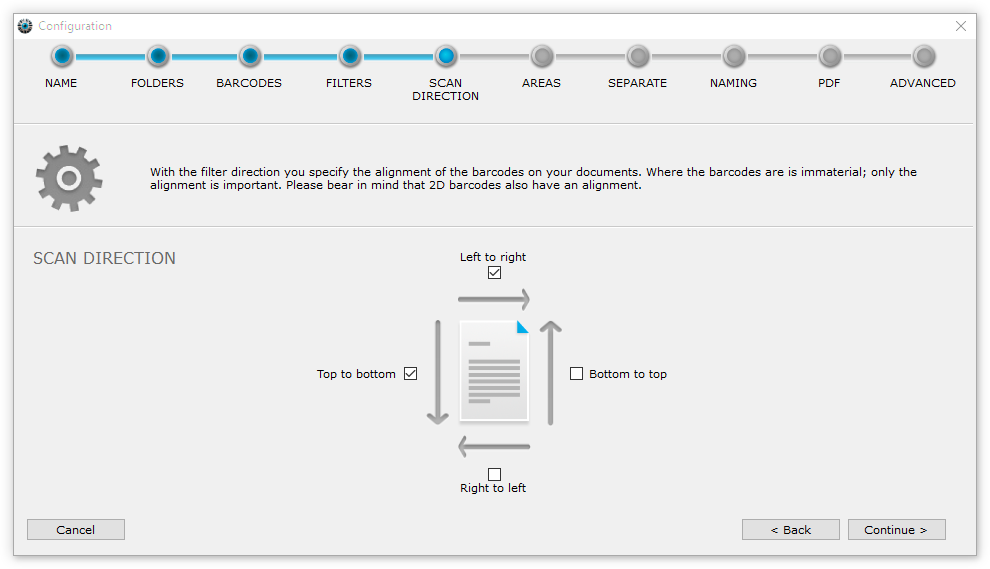
You can choose Left to right, Right to left, Top to bottom and Bottom to top. In this example, BarcodeOCR takes into account barcodes printed from "left to right" (normal horizontal reading direction), and also barcodes printed from "top to bottom".
Keep in mind that some 2D barcodes also have an orientation.
Find the right directions
If in doubt, first activate all four directions to make sure your configuration works as expected. To speed up processing, then switch off the directions you do not need, checking each time that processing still works.