Change edition or extend your license
If you have changed your edition or extended your license, update the license information in BarcodeOCR. The new range of functions is then available. For which features each edition includes, see Editions.
Update your license
You need an internet connection for this.
- Launch BarcodeOCR.
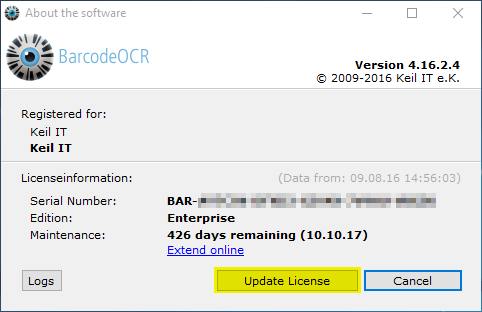
- Open the Help menu and select About this software.
- If your license information has not already been updated automatically, click Update License.
Upgrade to the latest version
Customers with an active maintenance plan receive all product updates free of charge. Download the latest version from the download area of the website after entering your serial number. For how to install the update, see Install an update.